Usage
rasterizer is intended for regular rectilinear grids: axis-aligned rectangular cells described by 1D
x and y arrays of cell centers with constant spacing. That restriction is what lets the package stay
fast while still computing exact per-cell area and length contributions.
Visual Examples
Here are some examples of what you can do with rasterizer.
Rasterizing Lines
You can rasterize lines in either binary or length mode, with x and y two 1D arrays describing a
regular rectilinear grid. lines can be either a GeoDataFrame or GeoSeries. crs is optional:
if omitted, it is inferred from the input when available, otherwise the raster is returned without CRS metadata.
from rasterizer import rasterize_lines

raster_binary = rasterize_lines(lines=gdf, x=x, y=y, mode='binary')
raster_length = rasterize_lines(lines=gdf.geometry, x=x, y=y, mode='length')
raster_length = rasterize_lines(lines=gdf, x=x, y=y, crs=crs, mode='length', progress_bar=True)
Binary Mode |
Length Mode |
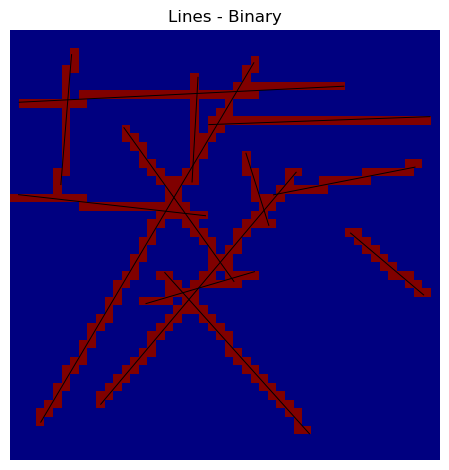
|
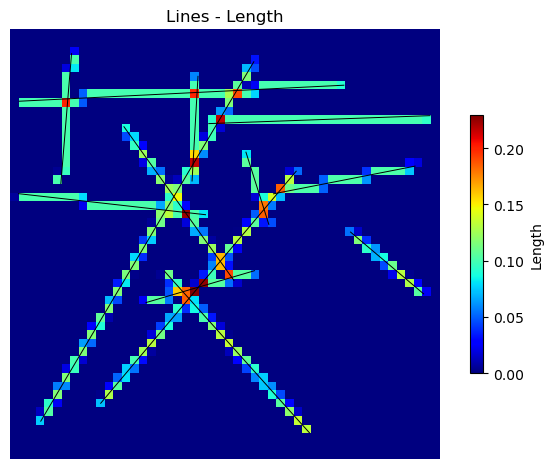
|
Rasterizing Polygons
You can rasterize polygons in either binary or area mode on the same kind of regular rectilinear grid.
polygons can be either a GeoDataFrame or GeoSeries. crs follows the same optional inference
rules as for lines.
from rasterizer import rasterize_polygons

raster_binary = rasterize_polygons(polygons=gdf, x=x, y=y, mode='binary')
raster_area = rasterize_polygons(polygons=gdf.geometry, x=x, y=y, mode='area')
raster_area = rasterize_polygons(polygons=gdf, x=x, y=y, crs=crs, mode='area', progress_bar=True)
Binary Mode |
Area Mode |
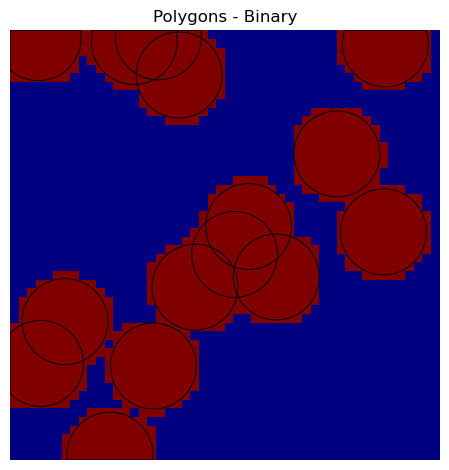
|
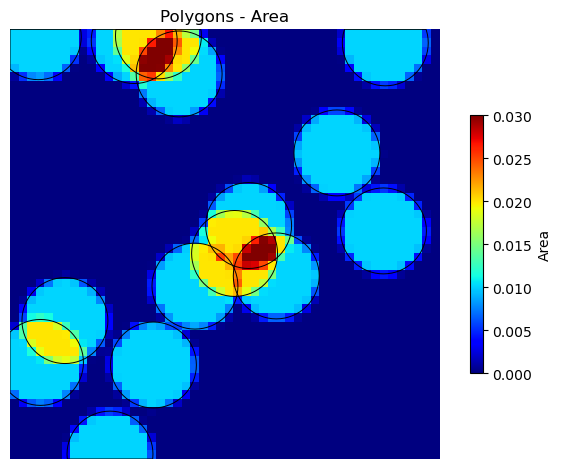
|